
Your Phone Gets Hot for a Reason You Probably Never Considered
You could be browsing at images or talking to someone you miss on a video call. After twenty or thirty minutes, you start to feel it: a subtle warmth coming through the casing and into your fingers. The back of your phone, which used to be smooth and cold, now feels heated, like a small stone left in the sun.
You stop. Your thumb is over the screen. Is this how it usually is? Should you be scared?
You flip the phone over to check the battery life. You could close certain apps. The feeling doesn’t go away immediately away, and for a time, you feel a little flutter of fear. We carry these things with us everywhere, even on our skin, in our pockets, and next to our beds at night. It feels like something is wrong when they get hot, like it’s personal.
But the truth is that your phone is working. It actually does work. And that nice feeling? It’s the hidden mark of a small world that moves at full speed inside glass and metal.
The Moment You Notice the Warmth
The heat never makes a big deal out of itself. It sneaks in.
Your fingers are moving across the screen as you play a game. You hold the controller differently after the third level, and you can feel the edges getting warmer. Or you’re travelling a long way with your phone on the dashboard and the sun shining through the windscreen. It feels almost too hot to touch as you reach for it at a stoplight.
It happens every now and again when it’s charging. When you plug in your phone before bed and then take it up an hour later to set an alarm, the back of the phone feels like it’s been warmed from the inside. Or you see your friend’s face becoming pixelated and smooth out as the connection gets better when you’re on a video call. You realise that your fingers are heated where they grasp the gadget halfway through the call.
These times make me a little apprehensive, like “Is something wrong?” and then I’m interested. What makes this happen? Why now? And more importantly, should you do something about it?
Phones Are Small Computers That Work Hard
We sometimes forget this, yet your phone is more than just a phone. You can fit an entire computer in your pocket. There is a little city of circuits under that sleek shell, under the glass, and behind the screen. Billions of tiny channels carry electricity, make calculations, and transmit data at speeds that are hard to imagine.
You have to put in the effort to get every tap, picture, and message you send. Real and tangible work. Your phone’s processor is always busy solving issues, following directions, and moving between tasks. It controls your display, your wifi connections, your background programs, and your operating system all at the same time.
And work, even if it’s small, creates heat.
When you rub your hands together quickly, the friction makes them feel heated. When electricity flows across circuits in your phone, the same thing happens. When that electrical energy hits resistance in those tiny paths, some of it transforms into heat. The design isn’t the problem; that’s just how physics works.
Your phone is still working, even if it seems like it’s not. But when you ask it to perform more, like process graphics, stream video, or retain a connection, it gets harder and hotter.
Where the Heat Comes From
You don’t feel warm for no reason. It’s coming from some portions of your device, and each part has a different reason for growing heated.
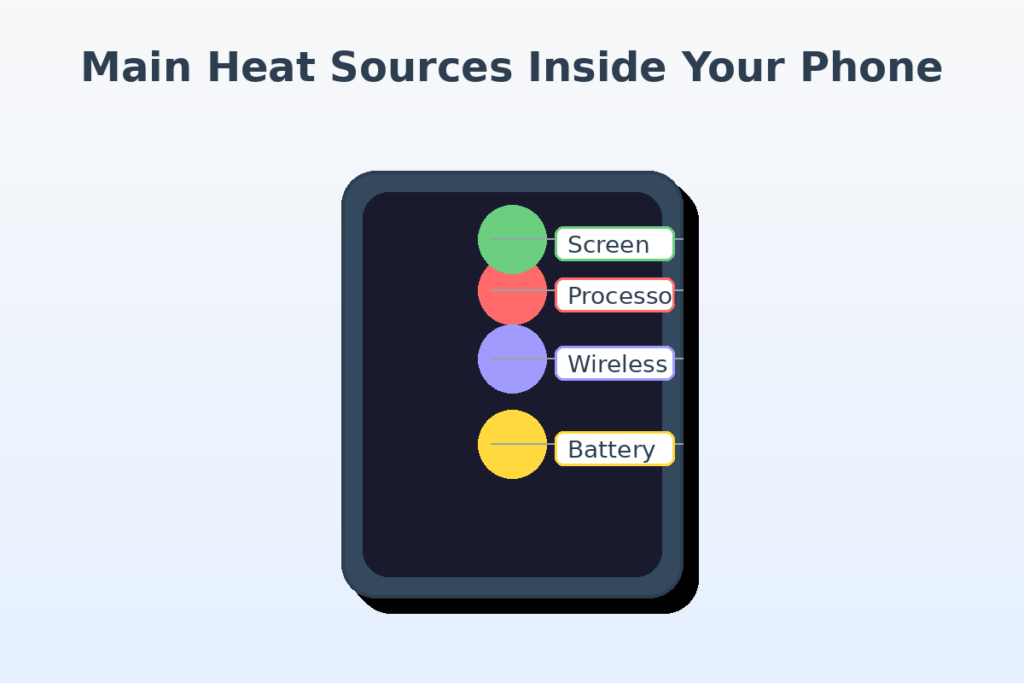
The CPU is the major source. This is the brain of your device, and it’s sometimes called the CPU (or SoC, which stands for “system on a chip” in phones). When you open an app, the CPU starts to work. As you swipe between screens, it’s calculating, rendering, and responding. When you perform things that need a lot of graphics, like editing photos, using augmented reality features, or playing games, the CPU works hard. This work makes the processor hot.
The battery also becomes hot. Not only does it store energy, but it also controls chemical reactions that release energy all the time. When you charge your phone, the battery gets more electricity, which makes these responses more stronger. The battery gets hot because it is continually trying to transmit power to all the parts that need it.
The screen is helpful too. Screens nowadays are bright, vivid, and sensitive, but all that magic needs power. To make things brighter, you need more power, which means more heat. The touch sensors are always looking for your fingertips, which creates heat immediately below the glass.
There are additional wireless radios, like Wi-Fi, cellular, Bluetooth, and GPS. These connections are hidden and need power to stay connected. When your phone is trying to find a signal or stream data over a network, those parts have to work harder, and they do get heated.
All of these sources come together. It’s not just one thing that makes your phone hot; it’s a bunch of systems operating together at the same time, each producing a tiny bit of heat.
Why Heat Increases During Charging
When you charge your phone, it gets warm, and that’s something that a lot of people notice right away.
When you plug in your phone, you send electricity to the battery. The battery is turning that energy into chemical potential, which it can use later. This change doesn’t work all the way. When you fill a container too quickly and the water splashes, some of the energy gets away as heat.
When you charge quickly, this effect is stronger. Charging your battery in thirty minutes instead of two hours is easier, but it costs more. greater energy pouring in means greater heat, more chemical activity, and more resistance. The battery gets warmer because it needs to work harder to handle the quick influx of power.
When you charge your phone while using apps like social media, watching movies, or listening to music, the heat builds up a lot more. The battery is also trying to charge the device. It’s like putting something in a container while someone else takes it out. Both the job and the heat are twice as awful.
This is why your phone could feel hotter when you charge it on a soft surface like a bed or couch. Those materials hold in heat, which keeps air from circulating. It becomes hotter and hotter because it can’t go elsewhere.
Why Gaming and Video Make Phones Hot
Playing games and watching videos on your phone are the things that take the longest. They’re activities that last a long time and are hard on your device, putting more stress on it than almost anything else.
When you play a game, especially one with realistic visuals, real-time multiplayer action, or augmented reality features, your phone’s processor and graphics chip work together quite well. They’re making pictures, figuring out how things function, keeping track of what you do, handling sound, and making sure your network connections are always up and running. Every frame you see on the screen is made up of thousands of calculations that happen in milliseconds.
It’s like walking up a hill instead of on flat ground. The work is still going on and is of a high level. Your phone is always on, therefore it gets heated all the time. It doesn’t get a break between levels or scenarios.
Streaming video does something similar, but in a different way. Your phone is downloading data, decoding video files, keeping the screen at a steady brightness, and sometimes even doing background downloads or notifications at the same time. When you’re on a video call, make sure you have the camera, microphone, and live data transfer. All of this uses a lot of energy.
And here’s the thing: these things usually take longer than sending a text or doing a quick Google search. You may spend an hour playing a game. You may watch an entire season of a show in one night. That long use means that your phone will make heat for a long time without having chance to cool down like it would during moderate use.
Why Hot Weather Makes It Worse
As you can see in the summer afternoons, the room temperature affects how hot the phone becomes.
Your phone cools down by letting heat escape into the air surrounding it. The cooling process slows down a lot if the air is already warm, like when you’re outside on a 95-degree day or your phone is sitting on a car dashboard in the sun. The gadget’s temperature is closer to that of its surroundings, therefore heat travels out of it more slowly.
The sun adds another layer. The sun’s rays not only warm the air, but they also warm up your phone. Darker phones take up more heat than lighter phones. You know how it feels to leave your phone on a table beside a sunny window and then pick it up later? Before you even switch on the phone, it gets hot.
If things get really bad, your phone can show a temperature alarm and turn off some capabilities to protect itself. This isn’t a big deal. It’s for safety. Just like your body sweats to cool down when it’s heated, your phone has built-in techniques to keep it from getting too hot.
Phones can also have troubles when it’s very cold, but that’s a different issue. The point is that your thing functions best when the temperature is moderate, and the weather does affect how hot it gets when you use it.
When Heat Is Normal vs. When It’s a Problem
Not all phone heat is the same. If you know how to discern the difference between normal warmth and overheating, you might not have to worry as much.
typical warmth is exactly what it sounds like: a little bit of heat that is typical and expected during or after use. After playing games, charging it, or making video chats, it’s natural for your phone to feel warm to the touch. The warmth can also spread to the back or stay near to the camera area, where the CPU usually sits. If the heat goes away after a few minutes of you stopping what you’re doing, your phone is working right.
It’s a different kind of heat that is an issue. It’s when your phone gets so hot that you can’t hold it for more than a few seconds without feeling uncomfortable. The device stays hot even after not being used for a long. There could be alerts about the temperature on the screen, the phone could turn off without notice, or the battery could run out of power quickly along with the heat.
Some signs to look out for are apps crashing all the time, the phone not charging, or changes to the phone’s body, including a battery that is swelling (which makes the rear of the phone bulge a little). A software error, a dead battery, or a hardware problem could be the cause of these issues.
Most of the time, the heat from your phone isn’t a concern. This is the cost of conducting business and the outcome of technology working as it should. But if you pay attention to patterns, you’ll be able to see when something really needs to be corrected.
How Phones Protect Themselves from Heat
You might not think your phone is clever enough to keep itself safe, but it is.
Smartphones of days have built-in ways to handle heat. They always check the temperatures inside, and if they become too high, they do something automatically, usually without you knowing it.
Most of the time, the answer is to throttle. The phone slows down its CPU speed on purpose to keep the heat down, which makes it run slower. You could see that some apps run a little slower or that the graphics aren’t as smooth. It’s not a problem with the phone; it’s simply that it’s taking its time to cool down, like a runner who gets too hot and slows down to a jog.
The screen might automatically get darker, which would minimise one significant source of heat. Things that happen in the background might stop. Charging could slow down or stop for a little while. Some phones will even switch off the camera flash or other features until the temperature drops.
If things get very terrible, your phone will just shut off. This is a last resort, a hard stop to keep the inside parts from getting too heated and breaking. It could sound alarming, but your device is actually protecting you and itself from a situation that could be dangerous.
Your phone is very unlikely to get too hot when you use it every day because of these safety features. The device will step in well before any damage that can’t be rectified occurred.
How to Reduce Phone Heat
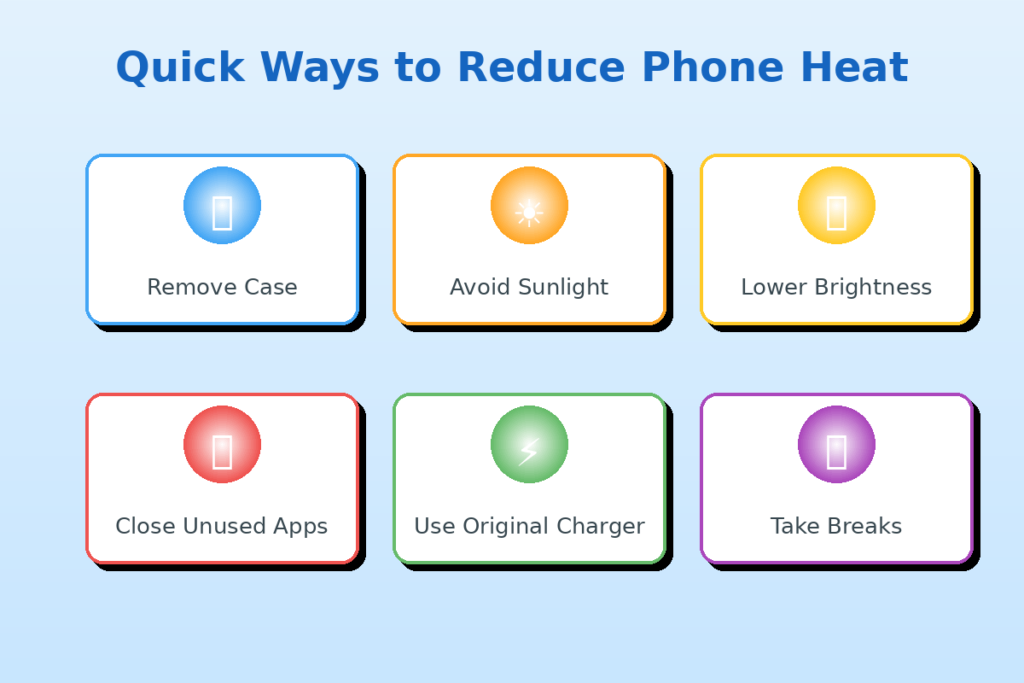
You can’t stop your phone from getting hot altogether, but you can make it less heated by following a few simple principles.
Take off the case. Cases protect your phone, but they also keep it warm. Taking off the case for a while allows air flow around your phone and cool it down faster if it gets too hot.
Don’t allow the sun hit your phone directly. Keep it out of the sun, especially on hot days. If you leave your phone in bright sunlight, it could grow very heated in only a few minutes, even if you’re not using it.
Make the screen less bright. Lowering the brightness settings uses less electricity, which means less heat. Most phones have a setting that changes the brightness on its own. Do it.
Close apps you don’t use. Apps that are running in the background use battery and processor power. When you close them, your item works less well overall.
Don’t do a lot of work while your phone is charging. If you can, don’t play games or view movies while your phone is plugged in. Let it charge without needing to run heavy programs at the same time.
Use the chargers that came with your phone. Third-party chargers might work, but they might not be the greatest match for your phone. Original equipment normally uses power more efficiently, which can minimise the amount of heat that builds up during charging.
Take breaks. If you’re playing games or video calling for a long time, let your phone rest for 30 to 45 minutes every hour. In just five minutes, it can get a lot cooler.
Update your software. Sometimes, bugs in your software can cause your computer to get too hot. Updating your operating system and apps regularly makes sure you get the latest fixes and features.
These actions won’t get rid of the heat, but they will keep it at safe, comfortable levels.
The Hidden Effort Inside Everyday Devices
When you think about it, phone heat is kind of humbling.
We don’t even think about it when we carry these gadgets. We want them to be ready right now, to answer right away, and to connect us to the whole world with just one tap. We forget—or never completely understand—that every interaction requires real energy, real work, and genuine physical processes that happen at extremely small sizes.
Your hand is heated, which means you worked hard. Billions of transistors are being turned on and off. Electrons are flowing through routes that are smaller than a hair. A credit card-sized battery can store and release enough energy to operate a modest computer for hours. This is because there are chemical reactions happening inside the battery.
This technology is so widespread that we don’t even notice it unless something goes wrong, such when the device gets hot, the battery dies quickly, or the performance slows down. But what we’re seeing is just the tip of a continuous, hidden effort.
Your phone is always on. Even when the screen is dark and it’s in your pocket, it’s still checking for messages, executing background tasks, maintaining time, and waiting for you to tell it what to do next. That’s not nothing. That’s a machine that fits in your hand and works softly and steadily.
Final Thoughts
Take a pause the next time your phone gets heated before you start to worry.
Most of the time, that heat doesn’t mean anything bad. There is no risk when there is glass. It’s just energy travelling around. Electricity becomes work, work becomes heat, and heat slowly moves into your palm.
It’s a sign of action, like a miniature machine doing exactly what you told it to do. Your phone is useful for many things, like snapping pictures, talking to people who are far away, finding your way around new streets, or just playing a game to pass the time. And it leaves a mark, just like any other job.
The warmth in your hand is merely the work of a small world inside glass and metal. It proves that even the most advanced technology has to follow the rules of physics. That’s normal. It’s to be expected. It’s just energy moving around, doing its job, and then slowly fading away into the air around you.
Your phone becomes hot because it’s working hard. That’s how it should be.
