
Why Does My Phone Storage Fill Up So Fast?
*You’re out with buddies and trying to take a quick picture when—boom. You look at your phone and see “Storage Almost Full.” You don’t have many apps on your phone. So, where did all the room go?
You’re not the only one who thinks this sounds similar. Every day, millions of individuals go through this, and to be honest, it’s one of the most annoying little things that happen in modern life. You didn’t download anything strange. You didn’t put in fifty games. And yet, without you even knowing it, your phone’s storage fills up quickly.
Let’s speak about why this happens in plain English, no need to have a tech degree.
Why Your Phone Feels Empty at First
When you first get a phone, especially a 128GB one, it seems like you have all the room in the world. You install some apps, shoot some pictures, and everything seems OK for a time.
But here’s something no one tells you right away: your phone doesn’t really give you all 128GB to use. The operating system, whether it’s Android or iPhone, already uses up a lot of that space. Out of the box, system files, built-in programs, and core software might take up 10GB to 20GB of space.
So, before you even start, you already have less room than the box said you would. That’s when the problem with phone storage starts to show itself.
Why Storage Fills Up Over Time (Even If You Do Nothing)
Most people don’t know this, but your phone is always saving things in the background, even when you’re not using it.
Your phone secretly saves small amounts of data from every app you use, every website you visit, and every video you view to speed things up the next time you use them. It’s called cache, and even though it’s helpful, it builds up over time. Apps also update themselves often, and when they do, they add new files on top of old ones.
Think of it as a drawer in the kitchen. You start with a drawer that is empty. Then you put in a pen, a takeout menu, a rubber band, and some old receipts. You didn’t mean to fill it up, but one day you open it and can hardly close it. That’s how storage on a phone works.
Photos and Videos Are the Biggest Hidden Culprit
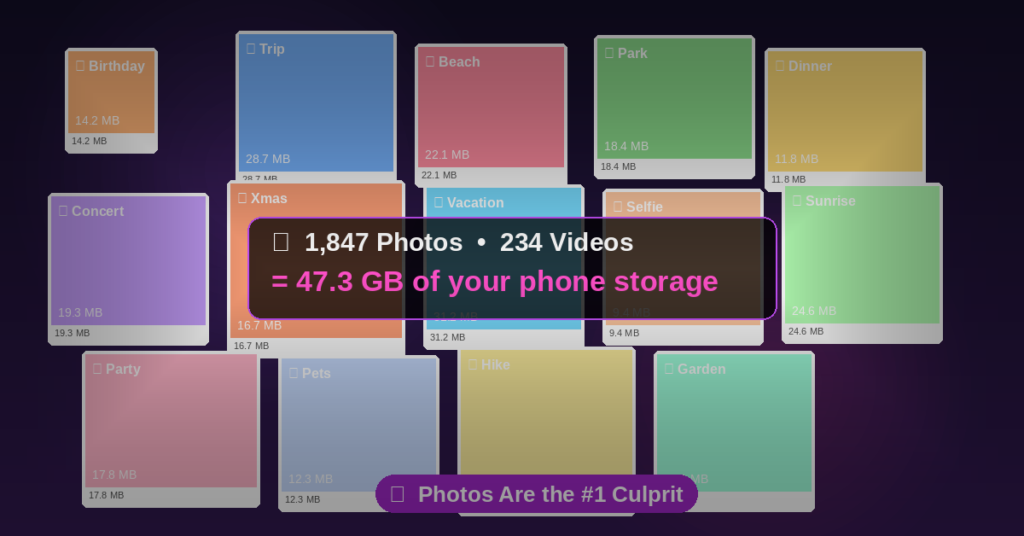
A lot of folks are surprised by this one. You might believe that your pictures don’t take up much space, but modern smartphone cameras are really powerful, and that capability comes at a cost.
A single picture shot with a new iPhone or Android phone can be between 3MB and 15MB in size. A one-minute HD video? That’s at least 150MB to 300MB. A 4K video that lasts one minute? We’re talking about 400MB or more.
Think about how many pictures and movies you’ve taken in the last year. Screenshots, food images, movies you didn’t mean to take, birthdays, trips, and unexpected hilarious moments all add up faster than you might imagine. One of the main reasons people run out of space on their phones rapidly is because photos and videos take up space. This is true even if they don’t feel like they’ve taken that many.
And pictures of the screen! Don’t even think about it. Most people have hundreds of screenshots that they don’t remember at all.
Apps Store More Data Than You Think
Let’s say you check Instagram every day. Or YouTube. Or use Spotify. These apps don’t just sit there; they are always saving data to your phone.
Check out some YouTube videos? Your phone saves those so they load faster the following time. Want to listen to a Spotify playlist offline? That’s a lot of tracks on your device. Do you scroll over Instagram? Your app’s secret folder is quietly storing the pictures.
This secret storage, which is called cache and app data, is one of the sneakiest reasons why phone apps take up more space than you would think. It can indicate it’s only 50MB, but once you add up all the data it has collected over time, it could be taking 500MB or more.
System Storage Keeps Growing Too
Here’s something even more surprising: the phone itself is making the storage problem worse. When your phone upgrades its operating system, it downloads new files and installs them. It also often leaves behind old update packages that are no longer needed but don’t always get destroyed on their own.
Your phone also makes log files, which are like journal entries about what the phone is doing technically. These logs build up in the background without you knowing it. People commonly see “system storage taking space” in their settings. This includes temporary files from program crashes, software patches, and background processes.
This is why people are so confused when they look at their storage breakdown and see a huge “System” or “Other” category. Those files weren’t made by you. Your phone did it on its own.
Messaging and Social Apps Are Quietly Filling Your Phone
WhatsApp alone fills up a lot of phones around the world. By default, your phone downloads and saves every photo, voice note, and video meme that someone sends you in a group chat.
If you’re in two or three active WhatsApp groups, you could be getting dozens of files every day without ever knowing it. Over the course of a year, you could get gigabytes of pictures of beautiful sunrises and films you never asked for.
The same is true for Telegram, iMessage, and almost any other messaging app. They’re all quietly saving media to your phone, and those files keep becoming bigger in the background. This is a big reason why phones run out of space even when individuals say they haven’t downloaded anything.
Why Storage Still Seems Full Even After You Delete Things
You spend twenty minutes getting rid of things. You feel good about yourself. You go back and look at your storage, and not much has changed. Does this sound familiar?
This is because when you remove an app or a photo, it doesn’t necessarily go away right away. Your phone often puts things in a “Recently Deleted” category for 30 days before permanently deleting them. This is true for both images and files.
What about the cache files we talked about before? When you delete an app, it doesn’t necessarily erase all of the data it left behind. Even after you uninstall a program, certain files stay in hidden folders. Your phone storage keeps filling up or stays full because those ghost files last longer than most people think.
How to Actually Check What’s Eating Your Storage
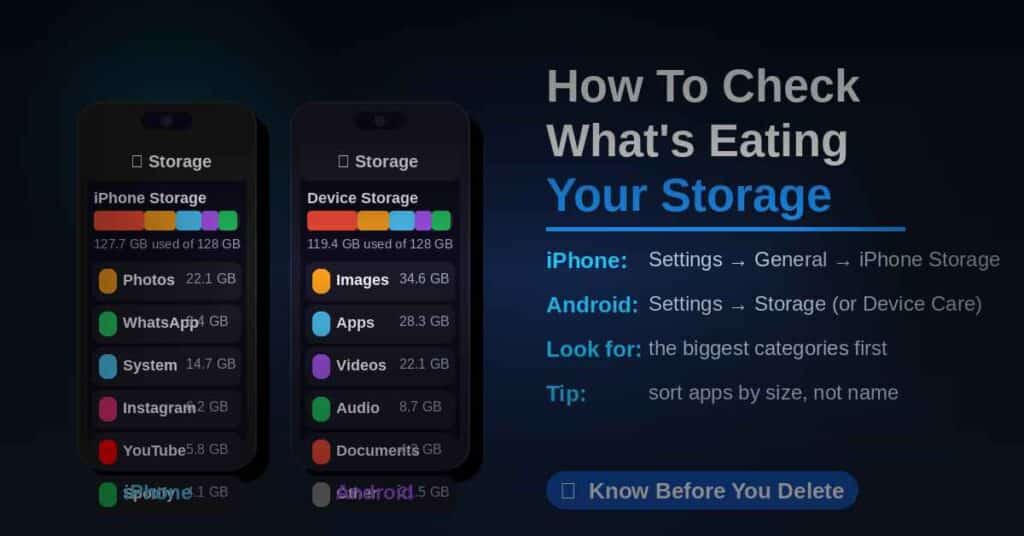
It’s a good idea to know exactly what’s taking up all the space before you start eliminating items at random. This is how to check:
To check your iPhone storage, go to Settings > General > iPhone Storage. There will be a colorful bar at the top and a list of all the apps and how much space each one is taking.
For Android, go to Settings and then Storage. Depending on your phone, it can be under “Device Care” or “Battery and Device Care.” You will notice groups like Photos, Apps, System, and Other.
Take a second to really look at this. People are usually startled to learn that their images use up 20GB of space or that WhatsApp alone takes up 8GB of space. It’s lot easier to figure out what to do first when you can see the statistics.
How to Free Up Phone Storage Space (Without Losing Anything Important)
Let’s get down to business. Right now, these are the best strategies to make more room:
Delete the cache for your app. To clear the cache on Android, go to Settings > Apps, tap on each app, and then tap “Clear Cache.” Sometimes the best way to fix an iPhone is to offload the app (Settings → General → iPhone Storage → tap any app → Offload App). This deletes the app but saves your data.
Make a copy of your images and then delete them. You can back up your camera roll with Google photographs (free up to a point) or iCloud, and then you can delete photographs right from your phone. You’ll still have them, but they won’t take up space on your computer.
Go through the files you downloaded. Most of the time, this is filled of PDFs, papers, and other stuff you downloaded once and forgot about. Get rid of it.
Look through WhatsApp and other chat apps. To manage storage in WhatsApp, click to Settings, then Storage and Data, and then Manage Storage. You can sort media by size and eliminate the biggest files with only a few taps.
Delete apps you haven’t used in months. Be honest: you won’t start using the language study app you downloaded in January.
How to Stop Your Phone Storage From Filling Up Again
After you’ve made some room, it’s easy to keep everything in order:
Set your camera to automatically save photos to the cloud so they don’t fill up your device. In WhatsApp and other messaging apps, turn off automatic downloads for media. You can still download things you want by hand. Check your storage every month or two to keep ahead of the game. And think about whether you really need to have high-resolution camera settings on all the time. For ordinary pictures, a little lower level can save a lot of space.
This isn’t hard at all. It’s basically simply about being extra careful with your phone, like how you sometimes clean out that kitchen drawer.
You’re Not Doing Anything Wrong
The main point is that if your phone storage is filling up quickly, it doesn’t mean you’re doing something wrong or that your phone is malfunctioning. That’s just how smartphones work these days. They are continually gathering, saving, caching, and updating in the background, without anyone noticing.
The pictures you take are bigger than ever. Apps are getting smarter and need more data than ever before. The operating system itself also takes up more space than it used to. All of that adds up, and it adds up quickly.
But now that you know what’s going on, you can take charge. You won’t have to see that “Storage Almost Full” notification every time you want to take a picture of something that made you smile if you do a little cleaning and make a good habit of it.
You can fix the problem with your phone’s storage, and now you know just how to do it.
