
Why does charging slow down when the battery is 80% full? The Real Reason Your Phone Slows Down When the Battery Is Almost Full
That moment when you’re in a hurry to get ready and you check your phone and see that it’s been charging for 20 minutes and is already at 60%. You experience a wave of relief. But when you get back half an hour later, it’s only at 85%. What the heck?
You’re not the only one who has ever pondered why charging slows down at 80. It’s one of those tiny things that drives everyone nuts every day. When you plug in your phone, it goes from 20% to 80% in what seems like no time. Then, out of nowhere, your phone seems to have chosen to take a leisurely stroll over the last stretch.
But here’s the thing: your charger isn’t giving up, and your phone isn’t being dramatic. Your smartphone is highly smart and protects itself in the same way that our ancestors did. It makes perfect sense, and the rhythm has been properly thought out. And now we’re going to talk about why your phone charges slower after 80 and why this slow tango at the end is actually good for your gadget.
Let’s begin.
How to Charge Your Phone in Steps
First of all, charging your phone is not like filling up a gas tank, where the gas flows at the same speed from empty to full. No, it’s a lot more complicated than that. The fact that your phone charges slowly after 80 percent is actually a part of a well-planned process.
Charging happens in steps, like the scenes in a play. Each stage has its own purpose and speed. The steps for charging a smartphone are aimed to strike a balance between speed and safety, as well as efficiency and battery life.
When your battery is low, your phone can handle a lot of power very quickly. It’s hungry and eager to eat everything. But the way it charges alters as it fills up. It becomes more meticulous and more precise. This isn’t a problem; it’s a feature that has become better over the years with new technologies.
Modern phones have a method for managing batteries. This technology is like a clever watchdog that always watches the battery’s temperature, voltage, and health. It controls how much power goes into your battery at any given time and varies in real time to keep everything safe and healthy.
Why charging is quick when the battery is less than 80%
So, what makes the first part go by so quickly? Why is it simpler to get from 20% to 80% than from 80% to 100%?
When the battery is less than 80%, your phone switches into “fast charging” mode. The lithium ion battery charging curve is steepest here. You may swiftly pour water into an empty bottle without worrying about it spilling or splashing.
Your phone’s battery can withstand more voltage and amperage at this point. The battery cells are cold, and the lithium ions can move about without any problems. In what technologists term the “safe zone,” everything is operating. Your phone is effectively saying, “Bring it on, I can handle this!”
This is when quick charging really does its job. This is when you may see those wonderful statistics, whether you have a 20W, 30W, or even greater wattage charger. Your battery percentage builds up quickly, and it really is racing against time to give you as much power as possible while conditions are good.
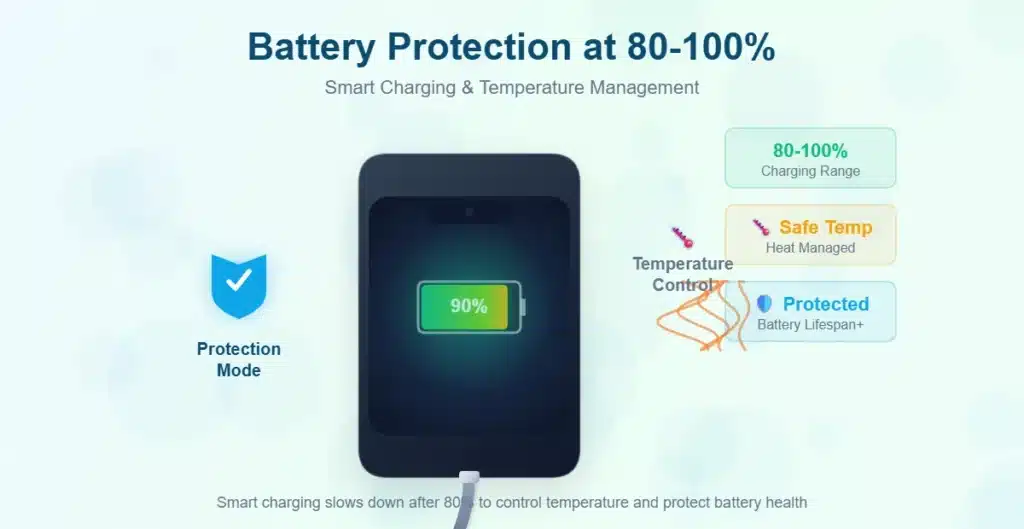
But this is where the old saying “know when to speed up and when to slow down” comes in. Our phones have learned that it’s not a good idea to rush to the end. As we learned in the past, everything has its own time and speed.
Why does charging slow down after 80%?
Okay, this is where charging slows down after 80%, and that’s a good thing.
Your phone changes how it works when the battery gets around 80%. It’s no longer about speed; it’s about safety and accuracy. Charging your phone’s battery health is very critical at this time.
When a lithium-ion battery is full, it becomes more brittle. The battery cells are working harder, the voltage rises up, and the heat starts to build up. Charging your phone all the way to 100% at maximum speed would damage the battery over time. It’s like trying to cross the finish line quickly when you should be walking across it.
This is when the battery protection charging begins. When your phone comes near to 100%, it slows down the charging speed on purpose to stop:
Heat buildup: Fast charging creates heat, and heat is harmful for batteries. Your phone cools down by slowing down.
Voltage stress—A fully charged battery works at a greater voltage. When too much power comes in too quickly at a high voltage, it might harm the battery’s internal structure.
Chemical stress happens when lithium ions move between the battery’s electrodes. When these ions are practically full, you need to be more careful with them. If you hurry them, you harm the paths they take.
It’s like filling a glass halfway (you can pour quickly) and filling it all the way to the top (you have to pour slowly and carefully, or you’ll spill).
Why It Takes So Long for the Last 10–20%
Now we get to the part that truly challenges your patience: why the last 20% sometimes takes longer than the rest of the work combined.
Welcome to the phone’s trickle charging mode. This is the stage of the charging procedure that takes the longest and is the most meticulous. Your phone is simply sneaking up on 100% by adding little amounts of power.
Imagine filling a glass all the way to the top without spilling a drop. You can’t keep pouring at the same rate. You need to slow down a lot, pay special attention, and maybe even add it drop by drop in the end. This is what trickle charging does to your battery.
During this last stretch, the charging current goes down a lot. During the fast charging period, the current could start at 3 amps or more and decline to 0.5 amps or less near the conclusion. When the battery is almost full, the charging speed slows down to make sure it is filled safely and thoroughly.
You might not think this level of accuracy is necessary. Charging a battery too quickly to 100% will make it wear out faster. The chemicals inside won’t line up appropriately, and over time, you’ll notice that your maximum capacity is getting lower. But what if the battery was charged all the way through? That battery will last for years and hold its charge like a memory you treasure.
This slow end is almost like poetry. It tells us that the last touches are the most crucial and that wonderful things take time. This idea has been true since the beginning of craftsmanship, and it is now embedded into our current tools.
Is it harmful or beneficial to charge slowly beyond 80%?
Let’s get this straight once and for all: it’s not only usual to charge your phone slowly when it’s almost full, it’s also good for it.
I know how annoying it is when you’re in a rush. But this slowness is your phone’s method of keeping itself safe and helping it survive longer. It’s part of the mechanism that keeps it safe.
Your phone’s method of taking care of itself is via optimizing battery charge. Just like our bodies require relaxation after a lot of activity, your battery needs this gentler approach when it’s almost full. Because heat and charging speed are linked, your phone keeps cool by slowing down. This is good for the battery’s health over time.
This is what truly happens to batteries that don’t go through this slow phase:
- They get hotter as they charge
- They lose their full power faster
- They don’t always do well.
- They need to be changed sooner
But batteries that go through the correct charging steps, like that last slow one? They keep in good shape. They always do what you want. They preserve their capacity the way things used to be made to last: by being careful, purposeful, and respectful of the materials.
Your phone isn’t being obnoxious when it slows down to 80%. It’s smart.
Why Your Phone Doesn’t Charge Quickly When It’s Almost Full
At initially, your phone may have shown the “fast charging” notification, but it goes away as the battery comes closer to being full. This is why a lot of devices stop charging quickly at 80%: it’s all about keeping the battery cool and managing it well.
Modern smartphones feature excellent battery management systems that keep an eye on a lot of things all the time:
Temperature sensors check to see how hot your battery is becoming. If the temperature grows too high, the system will automatically slow down or even cease charging for a brief time.
Voltage monitoring makes sure that the battery doesn’t get more voltage than it can manage safely. As the battery fills up, the safe voltage range gets smaller. To make up for this, the system lowers the power input.
Capacity calculations let your phone know how much power is always in the battery. You can make the best decisions about charging with this level of accuracy.
Cycle counting tells you how many times you’ve charged your battery. As the battery ages, the charging algorithm may vary to accommodate for how the battery evolves.
Apple, Samsung, and Google are among of the companies that have produced versions of improved battery charging. Some phones can even figure out your schedule. For instance, if you charge them overnight, they can linger at 80% for hours and only finish charging right before you wake up. This means that batteries don’t stay completely charged for as long, which is terrible for them.
It’s truly incredible. The people who constructed these gadgets were very careful and thought about the rhythm of the materials they used. This makes me think of how things used to be created, with a focus on both short-term performance and long-term longevity.
Should you charge all the way to 100%?
People want to know if it’s terrible to charge their phone all the way to 100%, or if you should keep to the 20-80 rule that you’ve surely heard of.
It’s okay to charge your phone all the way to 100% every now and then if it includes features that make it charge faster. Your phone is doing an excellent job of keeping things in order. The ancient 20-80 rule is an excellent one to follow if you want to keep your battery in good repair for a long time.
What the 20-80 Rule Means
- Try to keep your battery between 20% and 80% most of the time.
- This is the “sweet spot” for lithium-ion batteries.
- Not as much strain on the battery cells
- Producing less heat
- Slower decrease of capacity over time
But let’s be honest: there are instances when you truly do need that 100%. You have a long day ahead of you, you’re traveling, and it won’t be easy to charge your phone. When those situations arrive, don’t feel bad about charging to 100%. Your phone is fine. This is what the battery management system does.
You shouldn’t leave your phone at 100% for long periods of time. For example, don’t leave it plugged in all day while you work. Don’t charge it all the way and then keep it plugged in overnight if you don’t have optimal charging set on.
It’s like eating: it’s fine to have a big dinner once in a while, but you don’t want to be full all the time. When your battery is full, it feels the same way.
The customary method to do things that respects the materials we’re using is to do them in moderation. When you need to, charge it; when you can, unplug it; and believe that the rules that have worked for generations (not overusing, not overstressing) still apply to our modern equipment.
How to Take Care of Your Battery
Now that we’ve talked about how to keep your battery healthy, let’s talk about some good ways to do that. These little things truly help:
Avoid very hot or very cold temperatures. Heat is the worst thing for batteries. To help your phone cool down, don’t leave it in a hot car, charge it in direct sunlight, or take off any cases while it’s charging. Cold is also terrible for batteries, but not as bad as heat right away.
Use the right charger—Use the charger that came with your device or a third-party charger that has been approved for it. Cheap imitation chargers might not be able to properly control voltage, which can put a lot of strain on your battery.
Don’t let it die all the way—You don’t have to completely drain your phone, which is a common misunderstanding about batteries. Deep discharges can actually put a lot of stress on lithium-ion batteries. It’s fine if your phone fails every now and then, but not all the time.
Don’t charge your phone overnight without protection—If your phone doesn’t have optimal charging, try not to leave it plugged in for more than 8 hours every day. Being at 100% for a long time is hard on the body. If you need to charge overnight, switch on any features that make charging faster.
Give it some room—Don’t charge your phone on a bed, under a pillow, or on soft surfaces that hold heat. Let air flow around it.
Update your software—Updates to your software help battery management methods work better. Keeping your phone up to date is the greatest way to make sure you’re getting the best charging improvements.
It’s okay to only charge partway; you don’t have to charge all the way to 100%. It’s preferable for your battery’s health to charge it over the day instead of doing complete charge cycles.
These modes of working show that we care about the materials we use. They are built on the same principals that have always shown us how to use our instruments carefully: knowing what they are, respecting their boundaries, and using them intelligently.
Things People Often Get Wrong About Charging Speed
Let’s clear up certain myths that are floating around. Sometimes, lies spread quicker than the truth.
“Charging slows down after 80%, so my phone is broken.”
Nope. This is what normally happens. This is how it was supposed to function. If your phone didn’t slow down after 80%, that would be a concern. That would suggest that your battery management system isn’t operating properly.
Myth 2: “My charger is getting weaker”
Your charger isn’t getting weaker like a muscle that has been used a lot. If it’s working at all, it still gives forth the same amount of power. The phone chooses how much of that electricity to take in, and this fluctuates based on how full the battery is.
“Software updates made my charging slower” is a myth.
Software changes can affect how charging works, but if you see that charging is slower after 80%, it’s not a bug—it’s how the system is designed to work. Updates can sometimes switch on charging features that make the process faster than it was previously.
Myth 4: “I have to close apps to charge faster”
If you use your phone a lot while it’s charging, it will take longer (since power is flowing to running apps instead of just charging). Closing background apps won’t make charging go any faster, especially after 80%. The slowness isn’t because of how many apps you use; it’s to safeguard the battery.
Myth 5: “It charges wirelessly, so it’s slower”
Yes, wireless charging is normally slower than wired charging, however the slowdown at 80% happens no matter how you charge it. The battery level, not the way it is charging, is what makes it slow down.
“I need a new battery because charging is slow.”
There may be a problem with the battery if it takes a long time to charge. But what if it only slows down after 80%? That’s how it works; it doesn’t mean it’s broken.
Your phone is working just as it should, following patterns that have been tested and improved over many years of development. The truth is easier to understand than the falsehoods.
Putting It All Together
That’s the complete tale of why charging slows down above 80.
There’s nothing wrong with your phone or charger; you don’t need to fix anything. Your device is taking care of itself by slowing down so it can last longer. The multiple steps for charging a smartphone, especially the last one, are meant to protect the battery that fuels all of your digital life.
You can see the beauty in the lithium ion battery charging curve if you grasp it. Fast when it can be, sluggish when it needs to be. It’s a dance between charging you up rapidly and making sure your battery lasts for a long time.
After 80, charging the battery slows down since safety is more important than speed at that point. The link between heat and charging speed changes. Your phone turns on charging protocols to safeguard the battery. It switches to trickle charging mode for the last stretch, which gives the last few percent the attention they require.
And to be honest? It’s kind of beautiful when a system knows when to slow down. At 80%, your phone takes a breath and says, “Let’s do this right.” This is a subtle reminder that excellent things, things that last, often need patience at the end.
When you see the percentage go from 85% to 100%, understand that your phone is doing what it needs to do to keep safe. It’s taking care of itself in a way that will make sure it will be there for you tomorrow, next month, and next year.
That last charge that took so long? There is no problem. It’s a part of the whole thing. And although though it occasionally makes you wait, it’s one of the best things your phone can accomplish.
Friends, keep your batteries charged. And remember that sometimes the greatest way to get there is the slowest way.
