
Why Airplane Mode Removes Your Phone Signal Completely
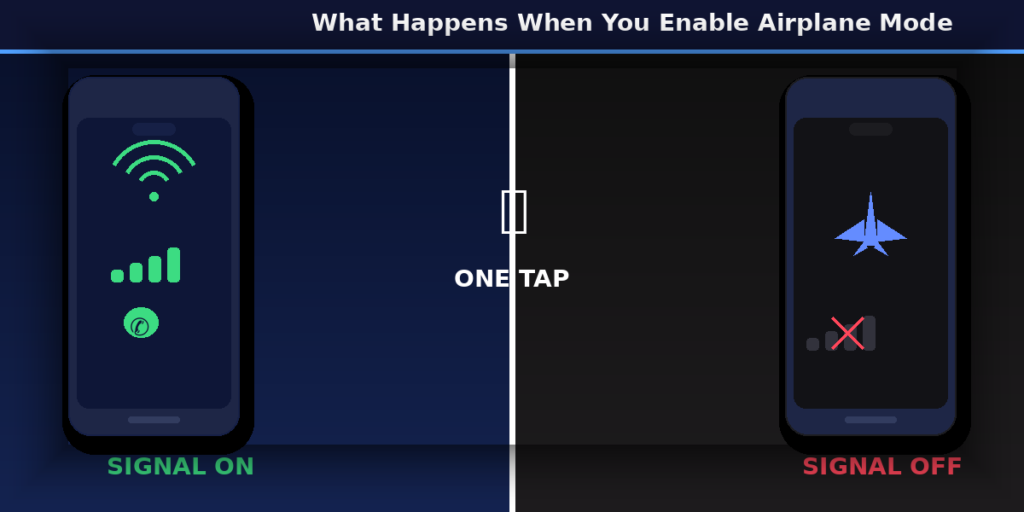
You touch the small airplane icon on your phone. The signal bars disappear in a flash. Wi-Fi goes off. Bluetooth stops working. You can’t make calls anymore. Your phone still lights up, but it’s if it forgot that the world outside exists.
One button. Turn everything off. Just like that.
You might be wondering, “Why does airplane mode turn off the signal so completely?” What truly happens inside your phone when you turn it off?
Let’s make things basic and easy to understand. No technical language, no complex explanations—just a plain, calm answer that suddenly makes sense.
Why Airplane Mode Turns Off Signal on Phones
The main point is that your phone is like a small radio station. It sends and receives invisible wireless signals all day long to cell towers, Wi-Fi routers, and Bluetooth devices that are close by. It talks to the world around it all the time, even when you aren’t using it.
When you turn on airplane mode, your phone ceases all of that radio activity right away. The device’s wireless radios all stop working. All of the radios—cellular, Wi-Fi, and Bluetooth—stop working.
That’s why the bars for the signal go away. Your phone isn’t hunting for a signal anymore, thus there isn’t one. It’s not broken or blocked; it just left the chat completely.
Picture this: you’re at a party and talking to folks on both sides of the room. Put on earplugs, go to a quiet place, and cease talking to everyone when you go into airplane mode. You are still you. The party is still going on. You simply opted to disconnect.
What Does Airplane Mode Do to Mobile Network and Signal
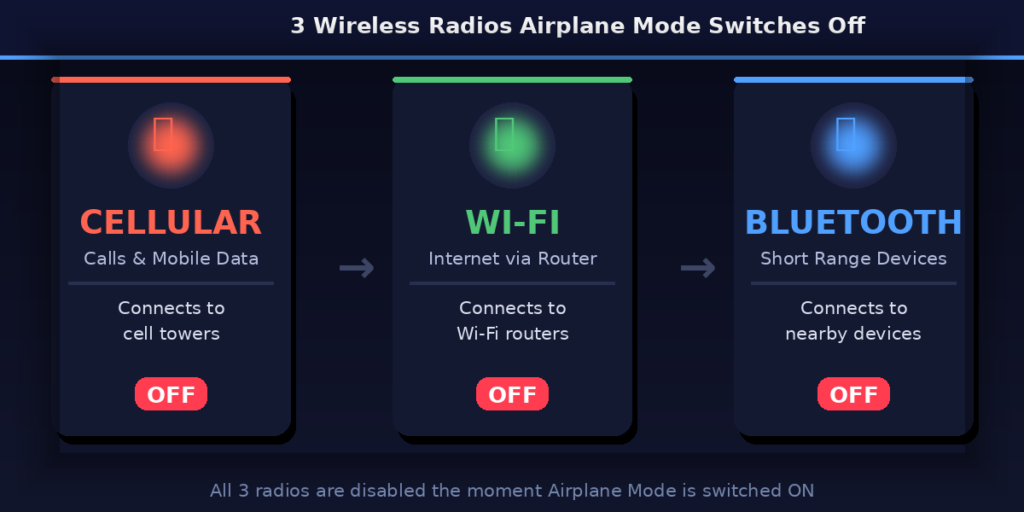
The cellular connection on your phone enables you make calls, send messages, and use mobile data. It works by talking to cell towers that are close by. These are small antennas that are spread out throughout cities, villages, and highways and pass your signal along like a relay race.
When airplane mode turns off the signal, it fully cuts off that relay. Your phone stops sending signals to cell towers. It stops telling the cell network where it is. In a way, it disappears.
This is why you can’t phone or receive calls while in airplane mode. Your phone isn’t talking to the network anymore. It’s not that the network is congested or your SIM card stopped operating. The line isn’t busy. It’s been turned off.
Why Airplane Mode Disables Cellular Network Communication
Here’s something cool: your phone doesn’t just passively get signals. It also sends them out. Your phone sends out little bursts of radio frequency signals every few seconds to check in with neighboring towers. This happens on its own, even while your screen is off.
This is exactly what airplane mode stops from happening. It stops your phone from sending out any form of radio signals.
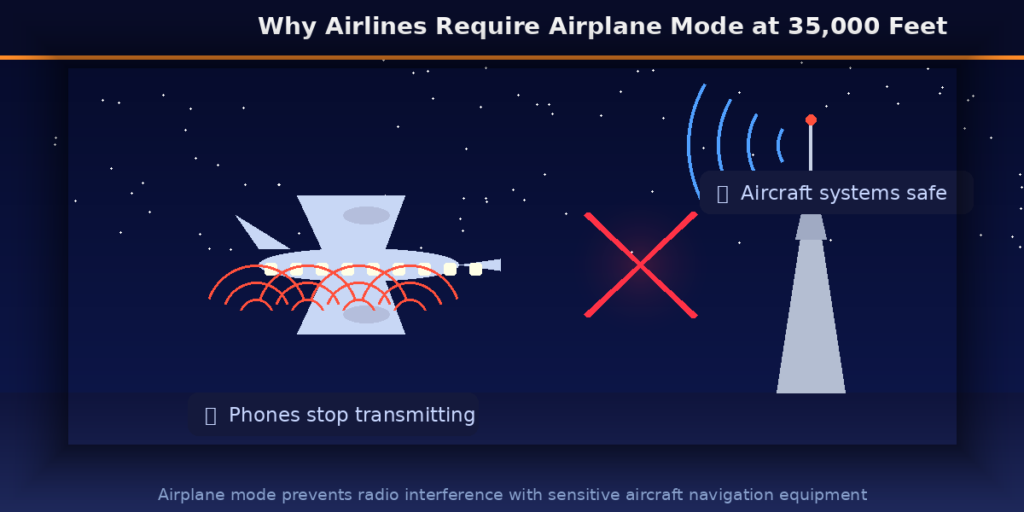
This is important, especially on real flights, because radio signals from personal devices have long been a worry because they could mess up how planes navigate and talk to each other. Airplanes utilize incredibly sensitive radios to talk to air traffic control and get navigation data. People are worried that a lot of phones sending signals at the same time in a metal tube flying at 35,000 feet could make some kind of electrical cacophony.
Airlines and aviation authorities determined it wasn’t worth the danger, no matter how big or tiny it was. So, airplane mode was created as a simple solution to keep your phone quiet during a flight with just one tap.
Why Airplane Mode Stops Internet and Calls Together
A lot of folks get confused by this. Why does shutting off the network also shut off the internet? Are they not different things?
Not really, at least not when it comes to mobile data. The cellular network is what connects voice calls and mobile internet. Your 4G or 5G connection handles your phone calls (in most modern phones) as well as your browsing, streaming, and messaging.
When airplane mode stops the internet, it’s because the radio that carries your calls is also the one that transports your data. If you turn one off, you’ve turned both off.
It’s kind of like shutting off the water at the main valve. If you were planning to use the tap to drink or wash dishes, you can’t do either of those things now. The source is the same, so the outcome is the same.
Why Airplane Mode Turns Off Signal but Phone Still Works
A lot of folks are surprised to learn that their phone would still work perfectly without a signal. You can still use it, but only while you’re not connected to the internet.
When you turn on airplane mode, your phone’s brain (the processor, storage, and screen) remains working like normal. None of that has anything to do with wireless signals. So you can still:
- Play music or podcasts that you have downloaded
- Watch movies or videos that you have saved on your computer
- Play games that don’t need the internet
- Take pictures
- Set timers and alarms
- Make notes or emails to send later
Even when your phone doesn’t have a signal, it’s still a capable tiny computer. It just can’t talk to anything else. Imagine that your phone is in “solo mode.” It still works, but it’s not connected to the outside world.
Why Airplane Mode Also Turns Off Wi-Fi and Bluetooth Initially
When you first turn on airplane mode, it turns off cellular, Wi-Fi, and Bluetooth. This is because Wi-Fi and Bluetooth aren’t the same as your mobile signal.
The reason is simple: airplane mode was made to switch off all wireless radios. Even while Wi-Fi and Bluetooth work differently than cellular, they are still radio transmissions. When the feature initially came out, the best thing to do was to cut everything.
That being said, newer phones are a little more flexible about this. Most airlines now let passengers use Wi-Fi on their flights, and many planes have Wi-Fi service on board. So, these days, most smartphones let you switch Wi-Fi back on by hand after you turn on airplane mode. The phone will remember what you did.
Bluetooth is the same way. You may switch Bluetooth back on by hand after airplane mode is on if you want to utilize wireless headphones while traveling. The cellular radio stays off, but you may turn the other ones back on when you need to.
Why Airplane Mode Is Required on Flights
Since it’s literally in the name, let’s get back to the airplane question.
The FAA in the US and the EASA in Europe are two examples of aviation agencies that have long forced passengers to turn off their devices or put them in airplane mode during flights. The worry is about “radio frequency interference” from phones that are trying to connect to cell towers.
When a plane is in the air, one phone may be able to connect to dozens of cell towers at once. If the phone keeps trying to connect to all of them at once, it makes a lot of radio noise. If you multiply it by a whole plane full of people, you get a lot of electrical noise in the background.
Navigation and communication systems on planes are quite delicate. They are made to work in a particularly specific radio environment. Aviation regulators and many engineers think that it’s best to get rid of any possible interference, even if the risk is low.
So, airplane mode on flights isn’t really about your phone blowing up or crashing the plane. It’s more of a deliberate, protective step. It’s better to be safe than sorry at 35,000 feet.
How Airplane Mode Works Inside the Phone System
You might be wondering what really happens inside the phone when you hit that icon. The phone doesn’t actually take off an antenna.
What happens is more like a command at the software level. When airplane mode is turned on, the phone’s operating system tells each wireless radio module to turn off or go into standby mode. The cellular modem, the Wi-Fi chip, and the Bluetooth chip all get the signal to cease working.
The cellular modem, which is the element of your phone that connects to mobile networks, basically goes to sleep. It stops looking for skyscrapers. It stops sending location information. It stops doing anything at all.
This everything happens in a split second, which is why the signal bars go away so quickly when you press the airplane icon.
Can You Use Wi-Fi in Airplane Mode After Turning It On
Yes, for sure. A lot of people don’t know this until they need help.
Airplane mode shuts off Wi-Fi by default, but it doesn’t lock it. You may turn Wi-Fi back on by hand after turning on airplane mode. Your phone will stay in airplane mode, which means that cellular is still off, but Wi-Fi will work as usual.
This is really useful on flights that have internet access on board. You turn off cellular service by turning on airplane mode, and then you have to connect to the plane’s Wi-Fi network again. You may browse or send messages using the in-flight service without your phone having to connect to cell towers while you’re on the plane.
A lot of phones even remember this option. If you had Wi-Fi on when you last used airplane mode, it might turn Wi-Fi back on automatically the next time you set aircraft mode on.
When Airplane Mode Is Useful Besides Flights
Airplane mode isn’t just for planes; a lot of people find it handy in their daily lives for reasons that have nothing to do with flying.
Keeping the battery alive: When your phone is in a location with a weak signal, it works extra hard to discover a tower and connect to it. This uses up your battery life faster than you might think. Airplane mode disables that effort completely, which makes your battery last a lot longer.
Going offline on purpose: There are moments when you just don’t want to be reachable. Airplane mode is a quick and easy way to mute all incoming calls, texts, and notifications without shutting off your phone completely. It’s great for a huge meeting, a long work session, or a nap.
Mode of focus: A lot of individuals use airplane mode to keep from being distracted. If there isn’t a network to send them, alerts can’t come in. It’s a simple and useful approach to put the phone down and really pay attention.
Traveling abroad: Airplane mode disables your phone from connecting to networks in other countries, so you don’t have to worry about getting high roaming charges. You can still access Wi-Fi at your hotel or café when you need it.
Faster charging: Your phone charges much faster in airplane mode since it doesn’t have to look for signals, run background apps that need data, or get notifications.
Now You Know
Airplane mode is actually just a way to turn off your phone’s antennas. When you hit the little aircraft icon, your phone stops sending and receiving wireless signals. Cellular, Wi-Fi, and Bluetooth all go quiet at the same time.
The phone itself keeps operating. Your photographs, music, and apps are all still open. But everything that needs to talk to the outside world—calls, texts, mobile data, and the internet—stops until you turn it back on.
It’s a smart and straightforward function. A single tap that stops your phone from talking to everyone all the time and lets it mind its own business.
You will know exactly what happened and why the next time you press that icon and see the signal bars go away.
*Did you find this helpful? Give it to someone who has always wanted to know the same thing.
